Envelope
Slab
The basic shape of the building is rectangular. It does not matter whether the outer wall or the foundation (slab) are drawn first.
You should draw the structure to a scale of 1:100 and with representation mode "construction project".
Workshop
- Set the plan format, scale and units > A3, 1:100, cm.
- Set the representation level to construction project.

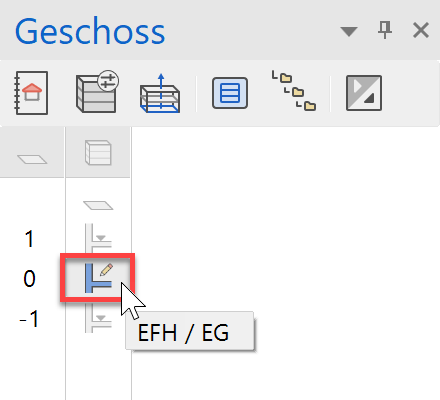
- In the Storeys manager, select the ground floor as the active storey.
- Select the function CREATE SLAB.

- Switch to the parameter type Standard and, if necessary, the entry mode to Draw contour manually.

- The drawing functions appear in the Input Assistant. Switch to the drawing function RECTANGLE.

- Draw the rectangle:
Place point P1 to the bottom left, then point P2 using coordinates X-value 1050, Y-value 900.

- A slab has now been created from the polygon with the corresponding slab thickness of the ground floor.
- Cancel the function with Esc.

Explanation
Height reference for slab
 FREE SLAB
The thickness and upper edge of the slab can be freely defined. The walls have no reference to this slab. 
 STOREY BASE AS IN VERT. SECTION
The gauge and upper edge of the slab is predefined according to the height section.
 LEVEL FLOOR FOR SHIFTED STOREYS
The thickness and upper edge of the slab can be freely defined. The walls refer to this slab.
Exterior walls
For the building permit, a single layered outer wall with a gauge of 30 cm is sufficient. The wall can be changed to multi-layered at any time.
Workshop
- Select the CREATE WALL function.

- Adapt the settings marked in the property bar.

- From the input assistant, select the drawing function RECTANGLE and create the rectangle over the two points P1 and P2.

- When the prompt Which direction? appears, move the cursor inside the structure and confirm with a left-click.

- Cancel the function by pressing Esc and save a work copy Ctrl+W.