Open project
The following exercise concerns a one-family home consisting of the three storeys Ground Floor (GF), Top Floor (TF) and Basement (BA).
Create a project in accordance with Course Unit 1/Beginners.
Workshop
- Open a new project. If the Storeys Manager is not visible on screen, it can be displayed with the key combination Ctrl+2.
Specify the project name Test_course and confirm with .
.
The dialog "Structure - Settings" opens automatically. - Set Height marking to project null: 400 m.a.s.

- Click
 to create a structure.
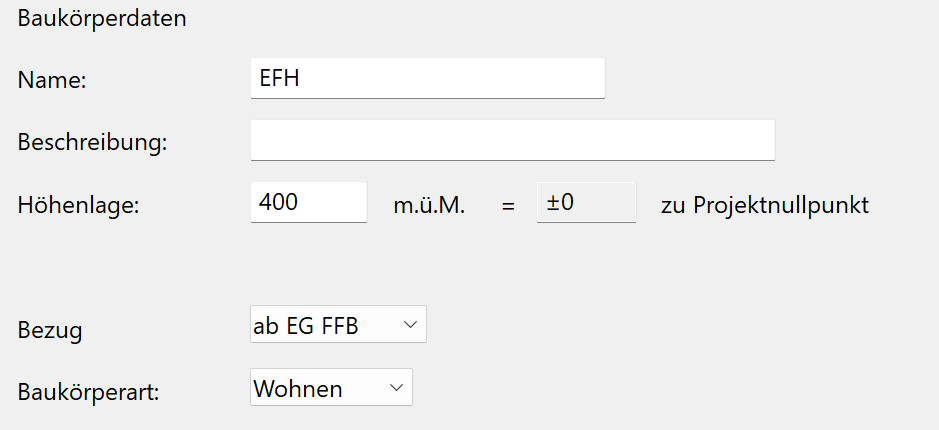
Name: House, height situation: 400 m.a.s. Confirm entries with .
.
- On the
 tab, specify the room clearance and the number of storeys.
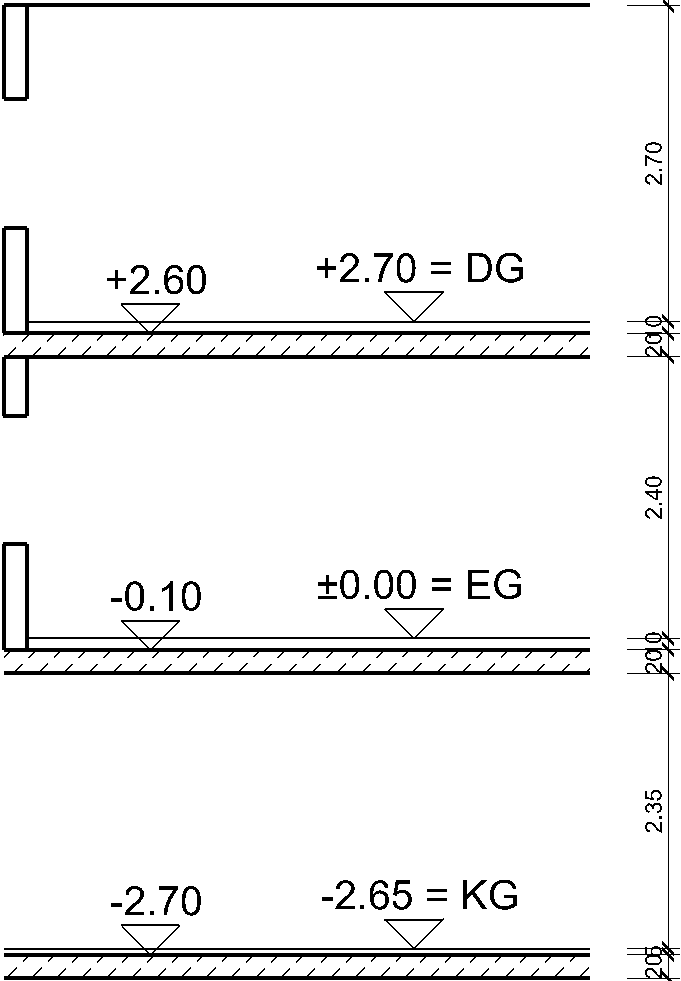
BA 2.35 m, GF 2.40 m and TF 2.70 m
- Under the
 tab, specify the floor and ceiling thickness of all storeys.
Floor thickness:
GF, TF 10 cm; BA 5 cmRaw slab thickness:
All storeys 20 cm
Note
Confirm each storey with before switching to another storey. Otherwise the entered data will not be saved.
Check heights, then click to close storey settings dialog.