Perimeter contour
The perimeter contour generally marks the limits of the piece of land.
It is required so that the excavations, landfill/dispersals, etc. can be created.
The 3D model is cut, however the height curves and height points that lie outside are always included in the calculation.
Workshop
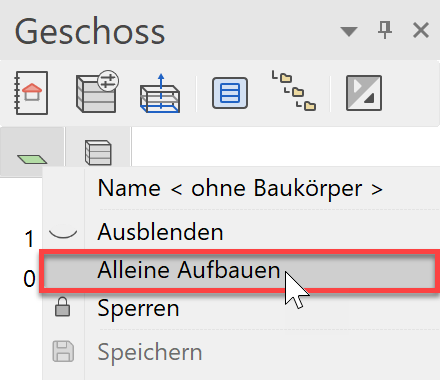
- Make only the "without structure" storey visible.
In the list of storeys, right-click on "without structure" and select the option "Show alone" or double-click on the Storey icon.
- Start the Terrain function and then the OUTER CONTOUR. Ensure that the type of entry is set to "Drawing the contour".

- The drawing functions appear in the Input Assistant. Switch to the drawing function RECTANGLE.

- Now draw the following rectangle through P1 and P2.

- Show all

- When you switch to the solid model Ctrl+D, you will see that the terrain of the outer contour has adjusted itself.

- Cancel function Esc, Save a work copy Ctrl+W